An online Gantt chart that plans
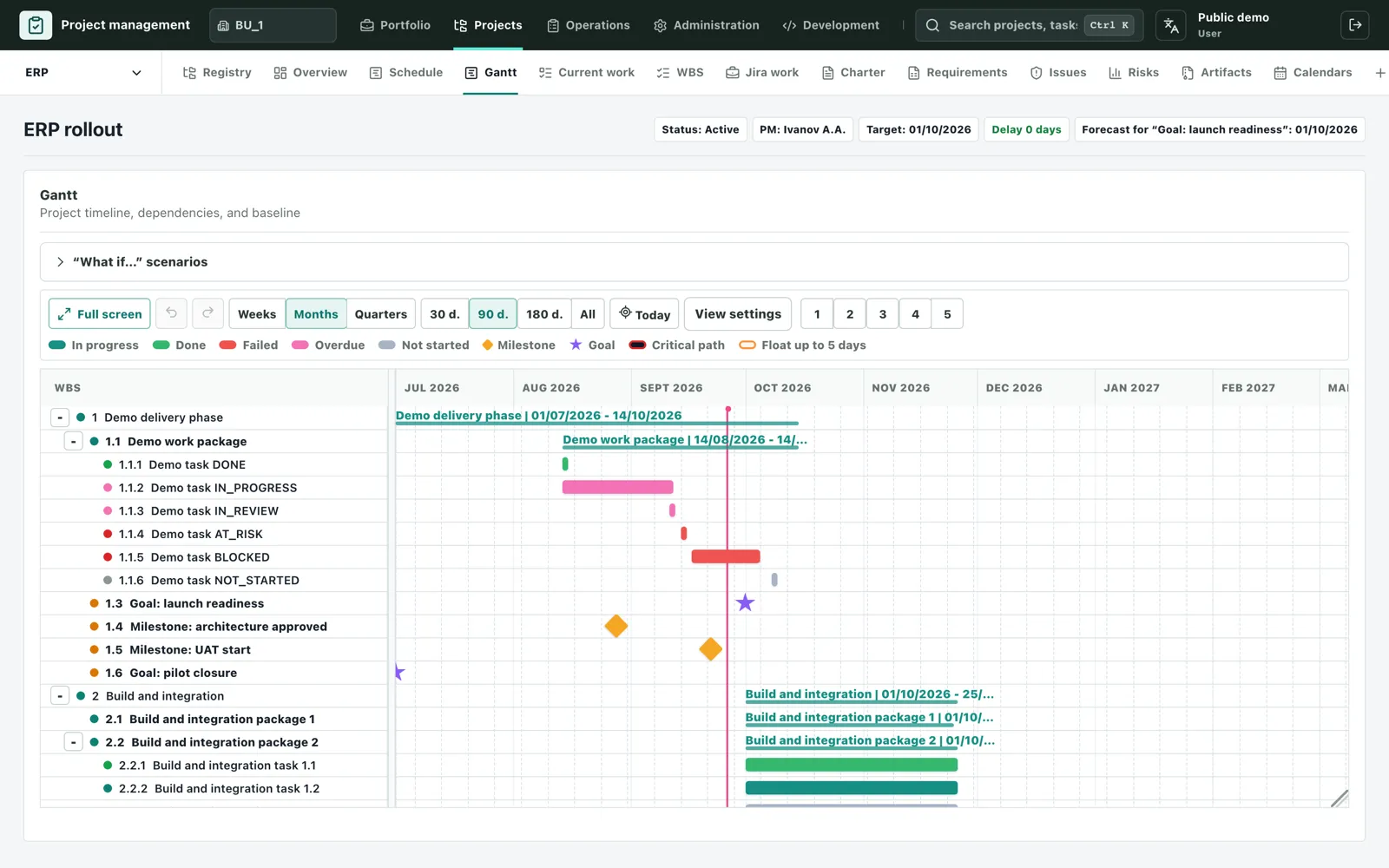
In Etapero the Gantt chart is a planning tool, not a picture. It is built from the work breakdown, works out dates from dependencies and the production calendar, and shows at once what will move the project end date.
No sign-up needed.
Dependencies drive the dates
Set a predecessor and the successor’s dates follow. All four dependency types are supported — finish-to-start, start-to-start, finish-to-finish and start-to-finish — with lead and lag in working days.
Dates follow a production calendar with holidays and working weekends, so a duration in days means working days.
Critical path and float
Work on the critical path is highlighted: any delay there moves the end of the project. Work with little float is highlighted too — it is what may turn critical tomorrow.
Baseline, forecast and scenarios
- A baseline records the approved dates, and the forecast’s slip against it shows on every row.
- Goals and milestones have their own timeline: baseline date versus current forecast.
- “What if” scenarios show how dates would change if work moved — without touching the plan.
- Weeks, months or quarters, full-screen mode and PDF export of the plan.
A plan you edit like a spreadsheet
Next to the chart is the work breakdown, edited like a spreadsheet: type in cells, paste rows, move with the keyboard, undo and redo. Task statuses colour the Gantt bars, so the state of the plan is visible without a report.
Related articles
The work breakdown structure (WBS)
How to build a project WBS: the 100% rule, levels and work packages, deliverable-oriented naming, an example structure and common mistakes.
How to make a Gantt chart
Step by step from a list of work to a Gantt chart with dependencies, durations, milestones and the critical path, plus the common mistakes to avoid.
The critical path in plain words
What the critical path and float are, how to work them out on a simple example, and how to use them to keep a project on schedule.
Try it yourself
The demo runs in your browser with no sign-up: you enter as a demo user and can edit the sample projects.
Open the demo