A Gantt chart and portfolio on top of Jira
Teams keep working in Jira, and the project manager sees their issues in Etapero’s plan, risks and reports. The sync only reads Jira and never writes anything to it.
No sign-up needed.
Read-only, for real
Etapero only sends sign-in, search and read requests to Jira. Issues, comments, statuses and fields in Jira stay untouched, so connecting it needs no sign-off for changes in the tracker.
Which issues come in
- A project’s sync scope is a Jira label or epic.
- Issues show in the project plan, in open issues and on the project overview — tickets at risk, for example.
- A plan row can be linked to an issue: the system checks its status and assignee against Jira and offers an update when they differ.
Data stays fresh
- A background refresh of current data every hour in working time.
- A nightly full sync keeps the history of issue changes, which analytics is built on.
- An administrator can start a refresh by hand.
Analytics on issues
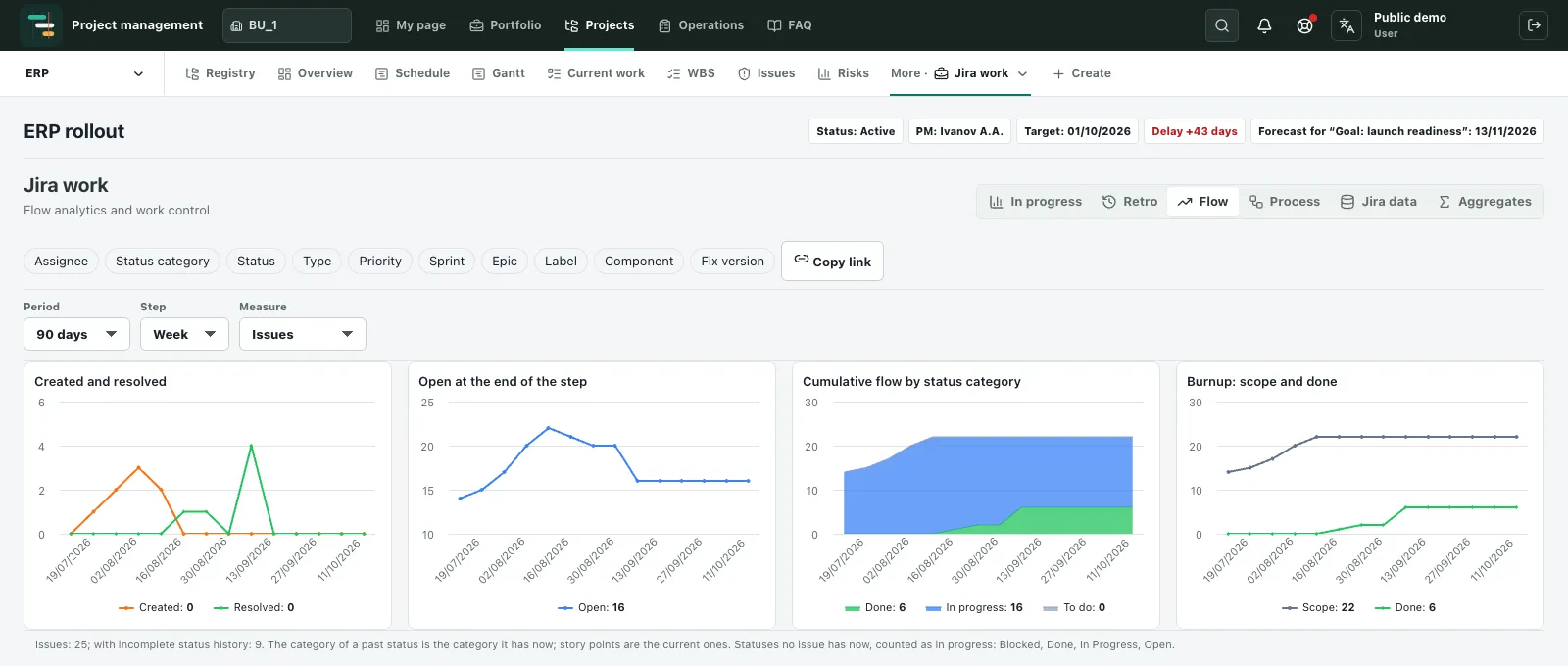
Issue history feeds analytics widgets: Critical and Blocker issues about to miss their deadline, for example, or the time from start of work to resolution. A project administrator configures and publishes the row sets behind the widgets.
Jira is a trademark of Atlassian. Etapero is not affiliated with Atlassian.
Related articles
The project risk register
Which fields a risk register needs, how to rate probability and impact, what a risk matrix is, and how to keep the register from becoming a formality.
How to meet project deadlines
Ten practices for keeping projects on schedule: realistic estimates, buffers, milestones, the critical path, catching slippage early and change control.
Jira and the project plan: dates above the tracker
Why Jira issues are not enough to manage project dates, how to link a plan to the tracker, and what a read-only sync gives you.
Try it yourself
The demo runs in your browser with no sign-up: you enter as a demo user and can edit the sample projects.
Open the demo