Device and firmware development projects
A device project rests on a few hard milestones: factory firmware, the first over-the-air update, the pilot. Etapero keeps them in the plan and shows which critical issues stand in their way.
No sign-up needed.
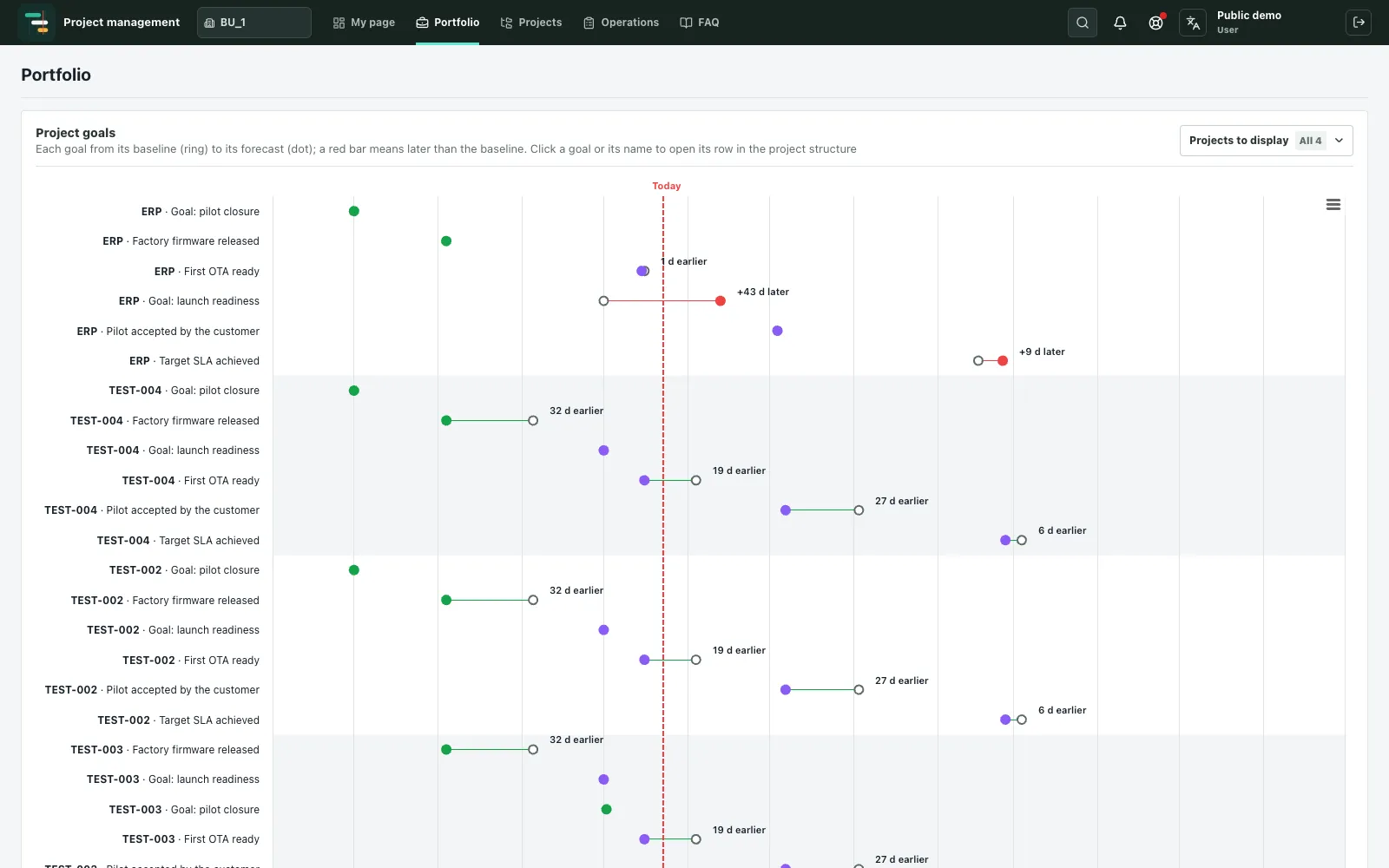
The milestones a release depends on
The goals “Factory firmware released” and “First OTA ready” are linked to the Jira labels MP and ota: if a goal with that name has no label yet, Etapero adds it. Each goal shows on the portfolio timeline from baseline to forecast, so you see at once which one is slipping.
Critical issues per milestone
- For each goal — unresolved Critical and Blocker issues with its label.
- Issues at risk: bugs less than a week from a 30-day fix deadline, and tasks at least 28 days old.
- Missed deadlines: bugs open longer than 30 days and tasks longer than 45 days since they became Critical or Blocker.
- How many Critical and Blocker issues appear each week.
Development without blind spots
- Branch commits with no Jira key — work the tracker does not know about.
- Issues with commits or merge requests but no sprint.
- Issues that have not moved into progress for more than 12 days.
- Time from start of work to resolution (85th percentile) by project.
A plan above Jira and GitLab
Project phases — from design to pilot and launch — live in one work breakdown with milestones, a critical path and baselines. Jira and GitLab connect read-only: teams work as they are used to, and the manager sees dates and risks across the project.
Related articles
The critical path in plain words
What the critical path and float are, how to work them out on a simple example, and how to use them to keep a project on schedule.
Baseline and forecast
Why record a baseline, how it differs from the forecast, how to measure schedule variance and how to explain why milestones moved.
Jira and the project plan: dates above the tracker
Why Jira issues are not enough to manage project dates, how to link a plan to the tracker, and what a read-only sync gives you.
Try it yourself
The demo runs in your browser with no sign-up: you enter as a demo user and can edit the sample projects.
Open the demo